Why a stack of good tools still creates a broken workflow
A CRM can send the questionnaire. A spreadsheet can hold the timeline. A document can contain the family list. A phone note can hold the venue address. Each tool may work perfectly, yet the photographer still spends an evening copying the same names and times between them—and checking which version is current.
The cost is not only administration. Translation loses context. A note about a grandparent’s mobility may not travel from the form to the group order. A changed ceremony time may update the email but not the PDF. On the wedding day, the photographer searches across tabs while the useful detail remains technically ‘collected’.
The six stages of a connected workflow
- Create the wedding with the date, venue, coverage and known contacts.
- Attach a structured final questionnaire and send one private link.
- Review submitted answers for gaps, contradictions and sensitive context.
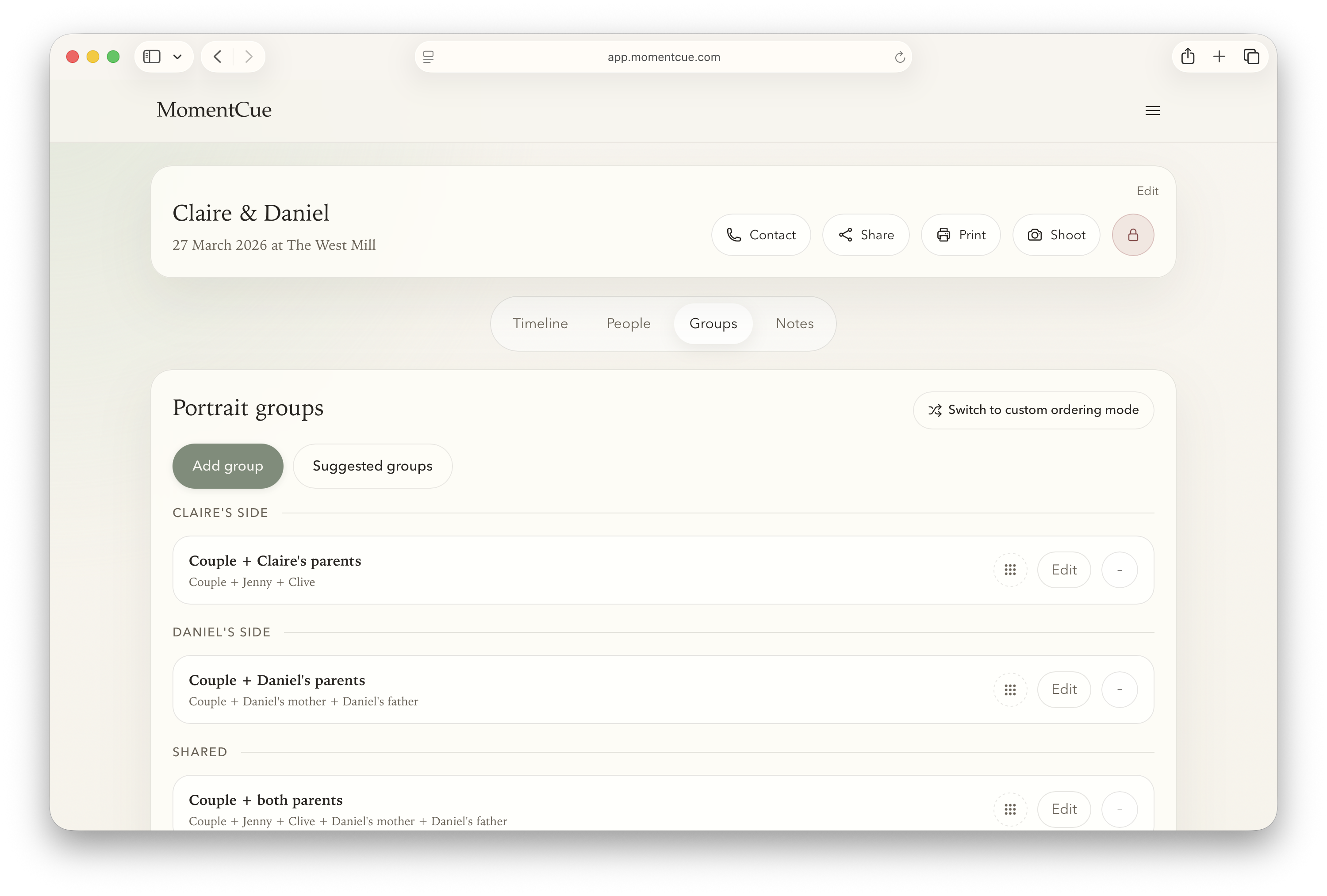
- Turn named people into an efficient, prioritised portrait-group order.
- Connect confirmed moments and portrait allowances into one timeline.
- Lock the reviewed plan and use it in Shoot Mode with a printable backup.
The important feature is continuity. Information should become more useful as it moves through the stages without being repeatedly retyped.
Stage 1: collect information in a structure you can reuse
Ask questions in fields that match later decisions. Separate names from relationships, times from descriptions and locations from free-form notes. Use open text for genuine nuance, not as the default container for an entire wedding day.
The couple-facing experience should remain simple. They do not need to understand your internal group logic or timeline model. They need clear questions, a private link, examples and confidence about why the information matters. Your photographer view can then preserve the answer beside the planning object it affects.
Stages 2–4: review, group and schedule
Review before generating. Automation cannot decide whether an unusual family combination is emotionally important or accidentally duplicated. Confirm priorities, then create an order that reduces movement and respects the people involved.
Build the timeline from fixed anchors and questionnaire answers. Keep family-photo estimates, couple-portrait time, travel and buffers visible. When the couple changes a time, update the master plan once. Record private context separately from the version shared with helpers or suppliers.
Stages 5–6: approve and use the plan
Approval does not mean the wedding cannot change. It means there is one recognised starting point. Lock couple editing once you have reviewed the final answers, record later amendments deliberately, and give your team the version they need.
On the day, reduce the interface to the next useful action: current timeline cue, next portrait group, names, critical notes and completion state. Keep a branded printable PDF as a resilient backup. The planning system should disappear behind the work rather than demand attention.
Documents, CRMs and connected planning
| Approach | Strength | Typical gap |
|---|---|---|
| Word document or PDF | Flexible and printable | Manual updates and weak mobile use |
| Spreadsheet | Fast tabular editing | Awkward couple experience and sensitive context |
| Generic CRM | Client communication and automation | Answers often remain separate from the shoot-day plan |
| Connected planning workflow | Information flows into groups and timeline | Requires a deliberate review habit |
This is not an argument to replace your CRM. Keep the system that handles enquiries, contracts, invoices and general client communication. Add a specialist workflow for the part generic business software handles poorly: turning final wedding details into a plan you can photograph from.
Audit your current workflow
Take one recent wedding and trace a single piece of information—such as a parent’s name or the ceremony start—from first collection to the moment you needed it. Count how many times it was copied, where it could become stale, and how many taps it took to find on the day.
- Which details are collected but never used?
- Which facts are typed into more than one system?
- Which document is the master when two versions disagree?
- Can a second photographer understand the plan without a verbal download?
- Can you work if mobile signal disappears?
- Can sensitive notes remain private while operational details are shared?
Fix the highest-risk handoff first. A workflow becomes valuable through fewer ambiguities, not through having the largest number of features.
Create a repeatable team handoff
A second photographer should not need a one-hour verbal briefing to understand the wedding. Give them the coverage boundaries, locations, timeline, named priority people, responsibilities and the private context relevant to their role. Make it clear which notes are informational and which require action.
Use the same source you will update if the plan changes. Exporting a PDF a week early and then editing only the live system creates two truths. Either regenerate the shared version after changes or make the live plan the operational source and the PDF an explicitly dated backup. Confirm that it opens on the devices your team actually carries.
After the wedding, record what the workflow failed to surface. Did a location note remain buried? Was a group name unclear? Did the completion view make the next action obvious? Turn those observations into template and process improvements before the next final questionnaire is sent.
Measure whether the workflow is improving
Track a few operational measures rather than relying on a vague sense of being organised: time spent preparing each wedding, number of follow-up questions after submission, duplicated data entry, timeline discrepancies found late, and time spent searching for information on the day. Add qualitative notes about client completion and team confidence.
The goal is not zero administration. Thoughtful review is valuable professional work. The goal is to remove mechanical copying and prevent known information from becoming unavailable at the moment it matters. A connected workflow should return time to judgement, communication and photography.