Send one link. Get back a wedding plan you can shoot from.

MomentCue turns your couple questionnaire into portrait groups, timeline cues, Shoot Mode, and a branded print backup.
  • No couple login
  • Private link
  • Photographer approved
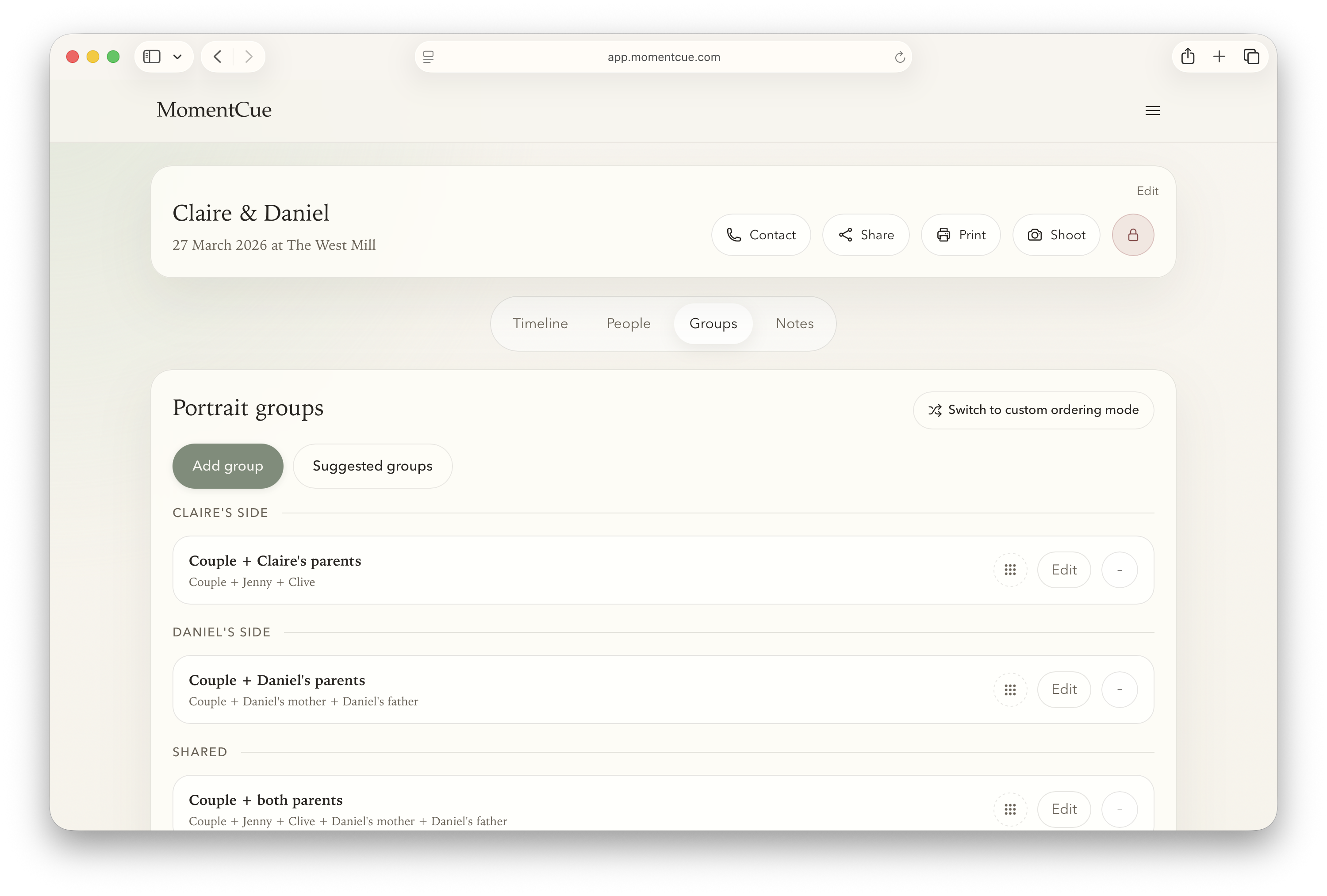
MomentCue wedding plan shown in a browser window.
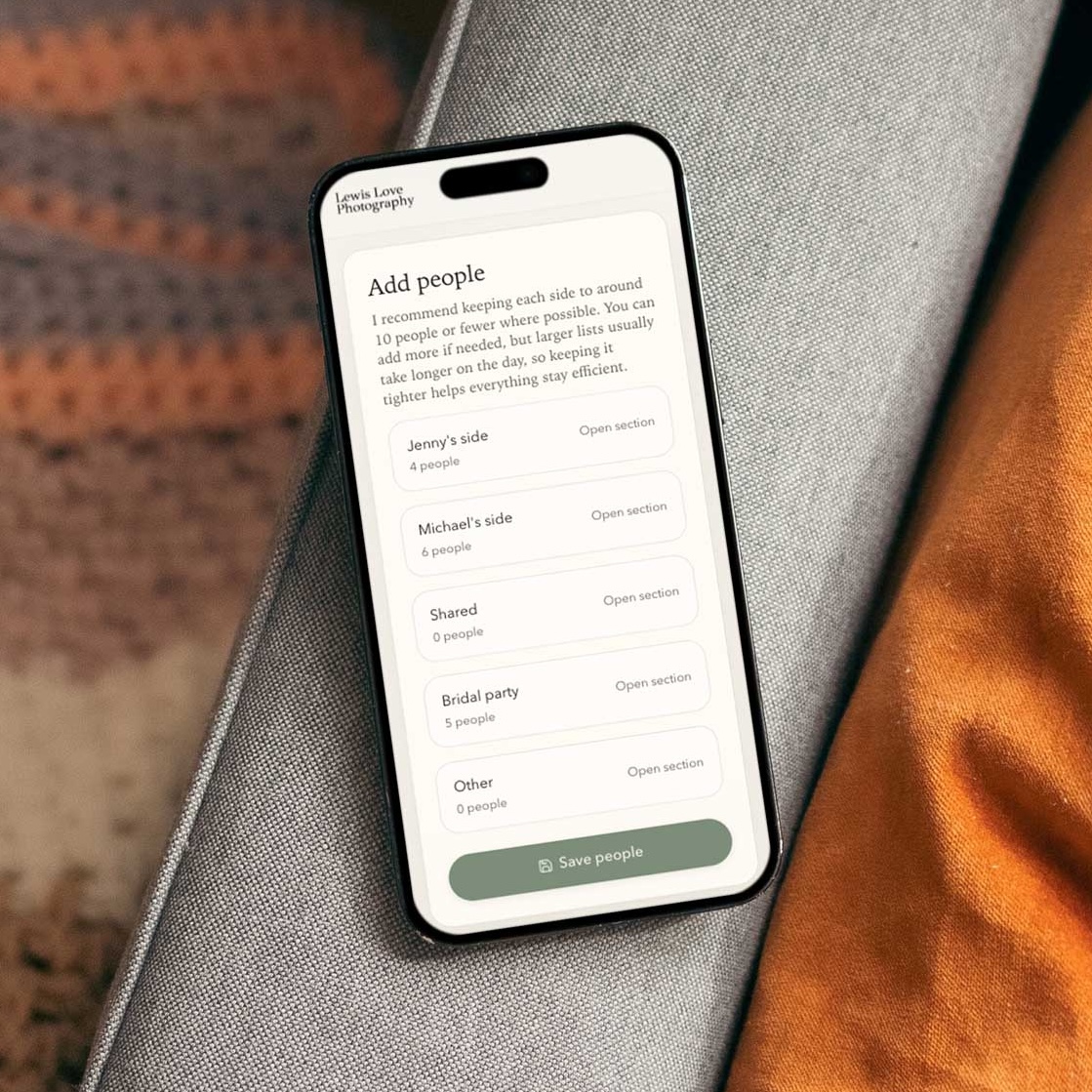
MomentCue couple questionnaire shown on a phone.
Questionnaire answers become the plan you review, lock, print, and shoot from.

Your wedding day planning workflow, simplified

Create the wedding, send the couple one guided questionnaire, then refine the plan MomentCue builds around their answers.

01

Create the wedding

Start with the date, venue, couple names, and your default questionnaire.

02

Send the link

The couple adds family details, key people, timings, and notes from a private link.

03

Review the plan

Get structured groups and linked timeline cues back without copying from emails.

04

Lock it in

Keep final control over groups, order, notes, and what is ready for the day.

05

Shoot and print

Use Shoot Mode on the day and keep a branded PDF backup ready for print.

Replace scattered planning with structured answers

MomentCue keeps the photographer in control while taking the first round of admin off your desk.

Before MomentCue

  • Names split across emails, WhatsApps, notes, and calls.
  • Spreadsheets copied into timelines by hand.
  • Family dynamics discovered too late.
  • Portrait order rebuilt again on the wedding morning.

With MomentCue

  • Questionnaire answers arrive in one consistent format.
  • Suggested groups and timeline times are ready to review.
  • Notes, relationships, and timings stay attached to the plan.
  • Your approved plan flows into Shoot Mode and PDF export.

The workflow layer your CRM is missing.

MomentCue does not replace your CRM or the system you already use to book and manage clients.

It replaces the chaotic part wedding CRMs still handle badly: turning couple answers, family details, portrait groups, timeline cues, and shoot-day notes into one plan you can actually use.

Specialist workflow layer
  • Keep your CRM for contracts, invoices, galleries, and client admin.
  • Use MomentCue for the questionnaire-to-shoot-list workflow.
  • Walk into the wedding with a locked plan, Shoot Mode, and a branded print backup.

Your couple does the first pass for you.

Attach a questionnaire to the couple link so the details arrive where you need them, already shaped for your wedding workflow.
  • Couples can answer without creating an account.
  • Private links keep your working view separate.
  • Answers feed the people, groups, and timeline planning flow.
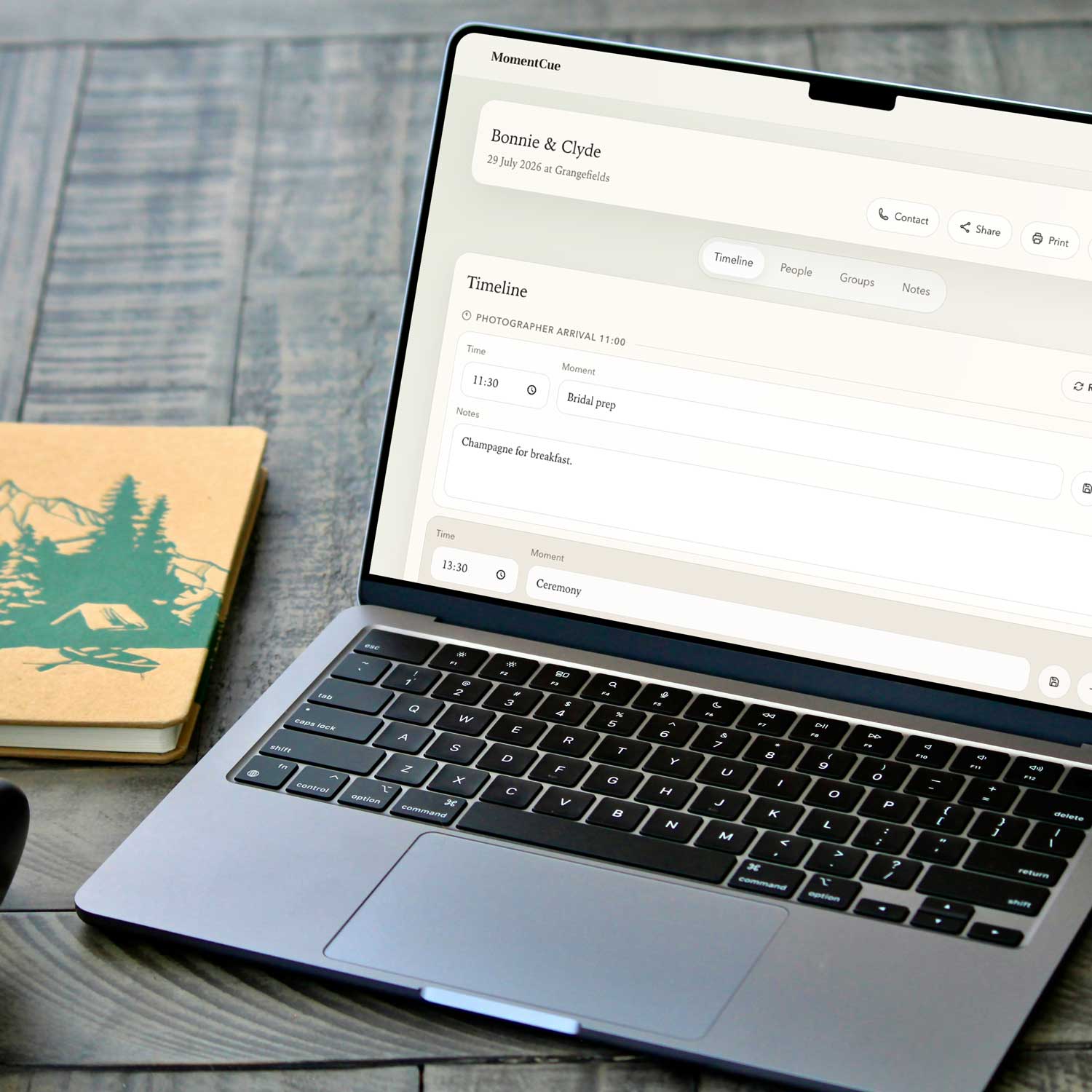
MomentCue couple link shown on a phone.
MomentCue timeline editing view shown on a MacBook.

You approve the plan before it becomes the plan.

MomentCue gives you a cleaner starting point, then leaves final judgement where it belongs: with the photographer.

  • Review suggested groups and linked timeline cues.
  • Reorder, edit, and add notes before the day.
  • Lock editing when the plan is ready.

Shoot from the locked plan.

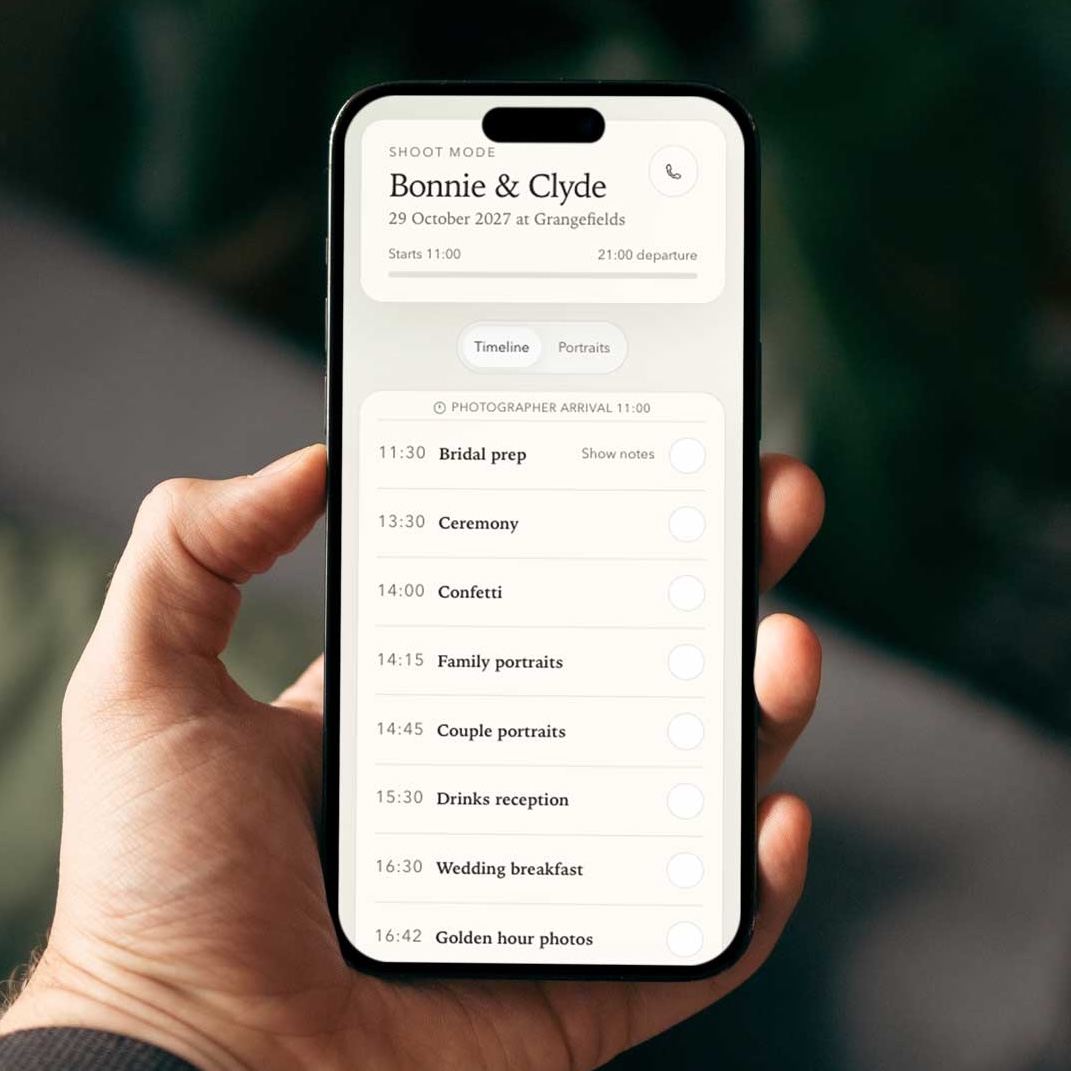
On the wedding day, Shoot Mode strips the plan back to the next group, the key notes, and what is already done.
  • Track what’s done instantly.
  • Keep timing, notes, and order in view.
  • Move through portraits from the plan you already approved.
MomentCue shoot mode shown on an iPhone.
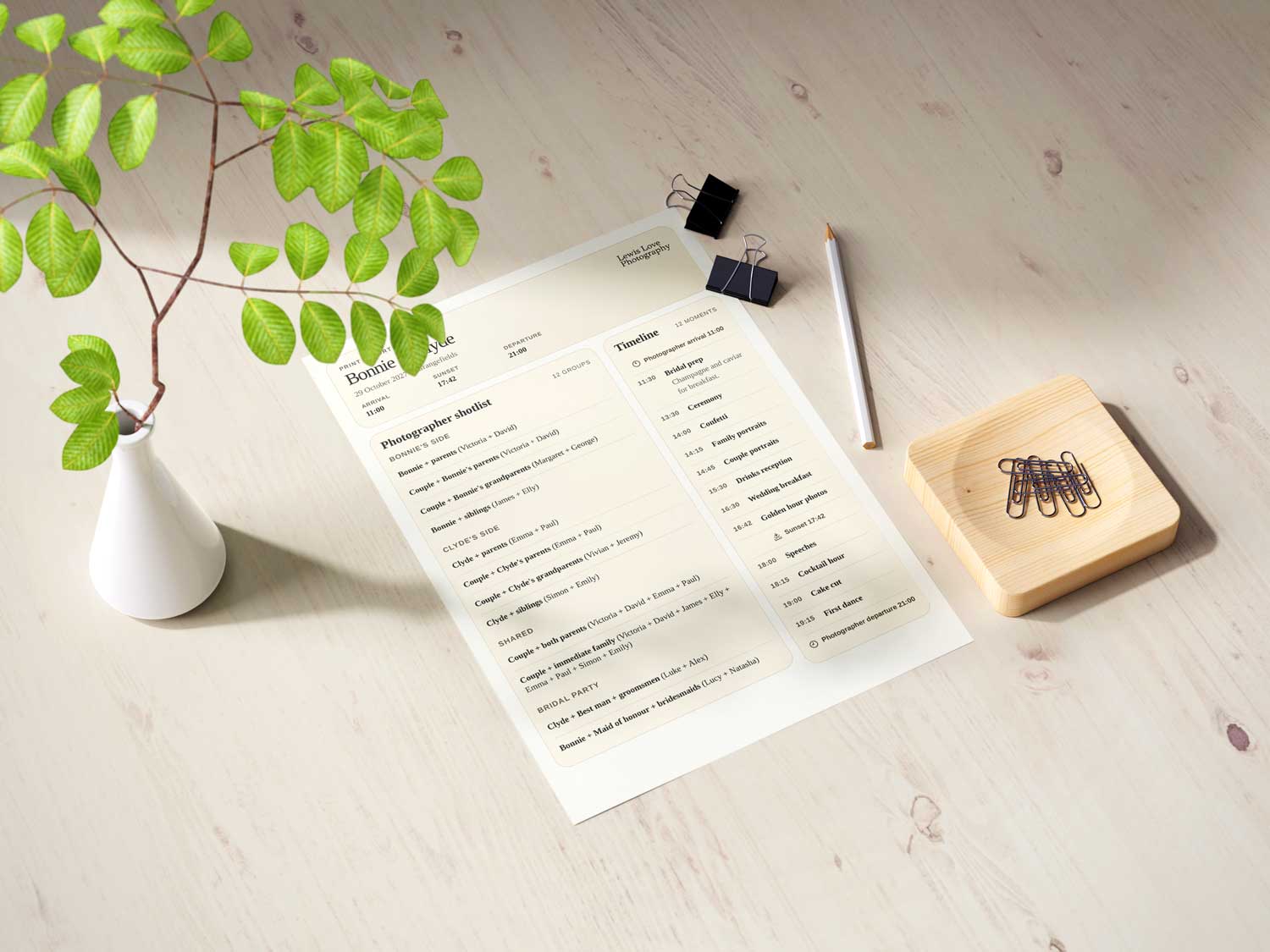
Printed MomentCue PDF export laid out on a desk with stationery.

Print a branded backup.

Keep a polished PDF export ready when you want a paper copy, an assistant copy, or something easy to share ahead of the day.

  • Your branding on couple links and exports.
  • Useful for assistants, planners, or your own backup.
  • Print it when it helps, and keep Shoot Mode as your main working view.

Built around control, privacy, and the real day

Couples do not need an account

They open your private link, answer the questionnaire, and submit the details.

Private link

Share the wedding link with the right people and keep your photographer view separate.

You control what gets locked

Review, adjust, and lock the plan before the final version is used on the day.

Your branding carries through

Couple links and exports can show your studio branding, not a generic handoff.

Start with your next wedding

Create a wedding, send the questionnaire, and see how much of the plan comes back ready to refine.

Create your next shoot list free No credit card required